Simplify fleet management for your organization
Clear plans, activation in minutes, and secure hosting in Canada.

What you can do with OptiGest
Concrete tools to simplify your daily fleet management.
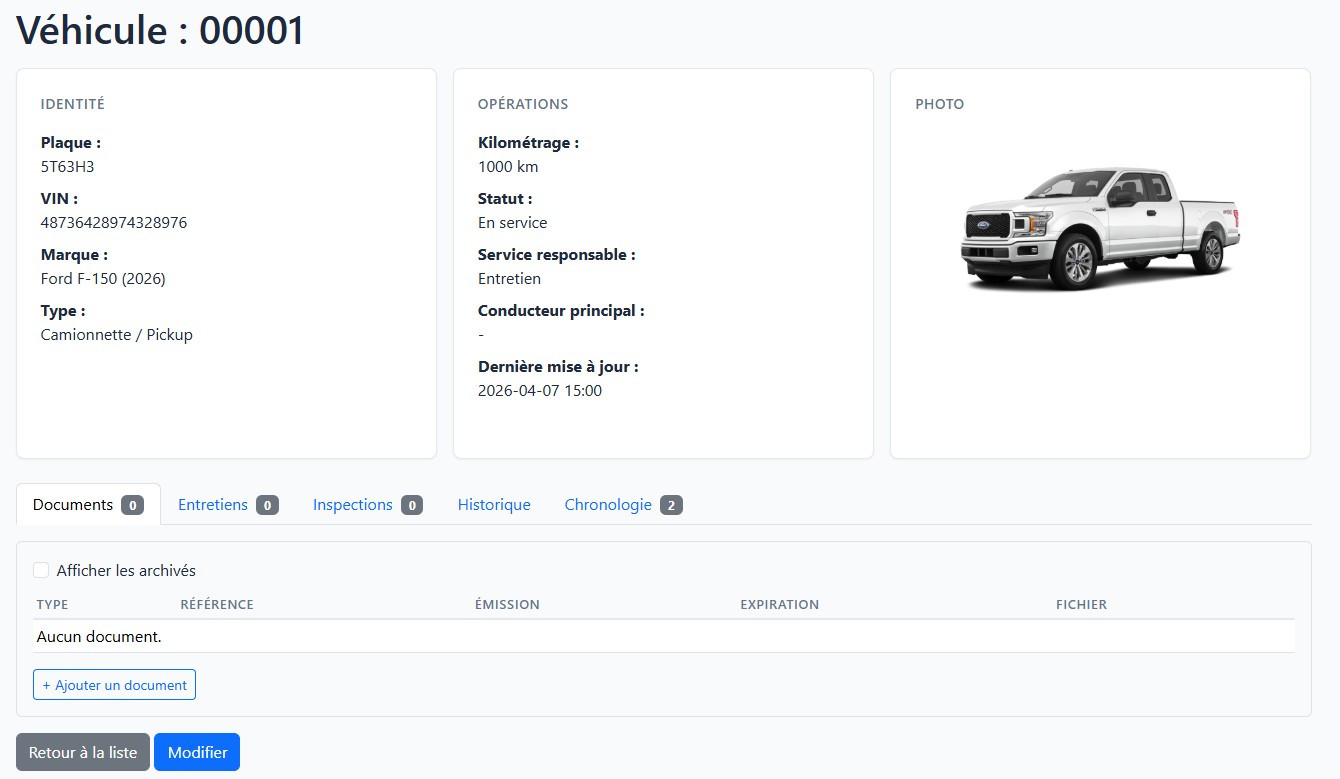
Vehicle management
Centralize each vehicle's information: status, assignment, documents, and complete history.
- Complete vehicle profile with history
- Status and assignment management
- Attached documents and photos
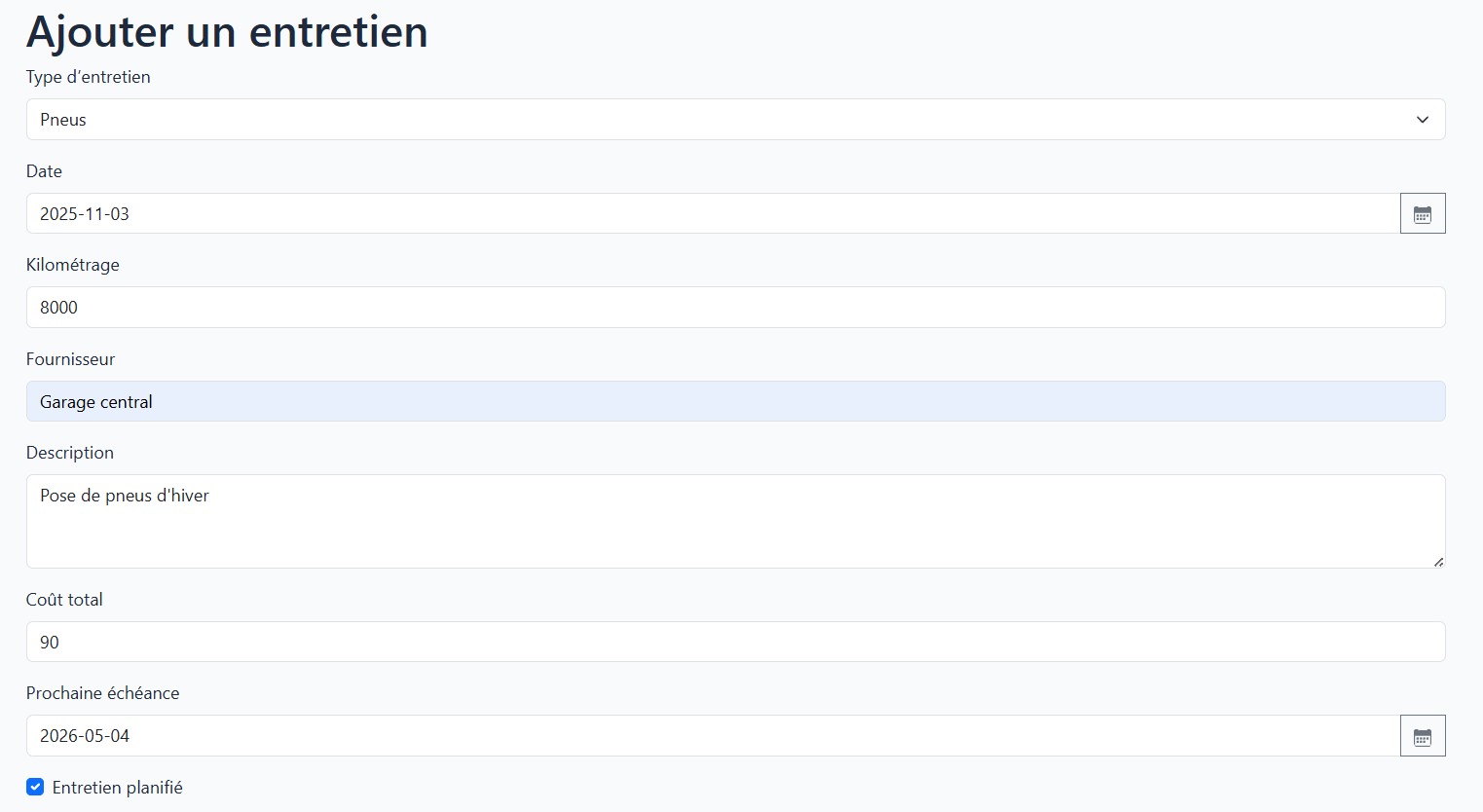
Maintenance tracking
Plan, track, and document every maintenance to keep your fleet in optimal condition.
- Preventive maintenance scheduling
- Complete intervention history
- Automatic alerts and reminders
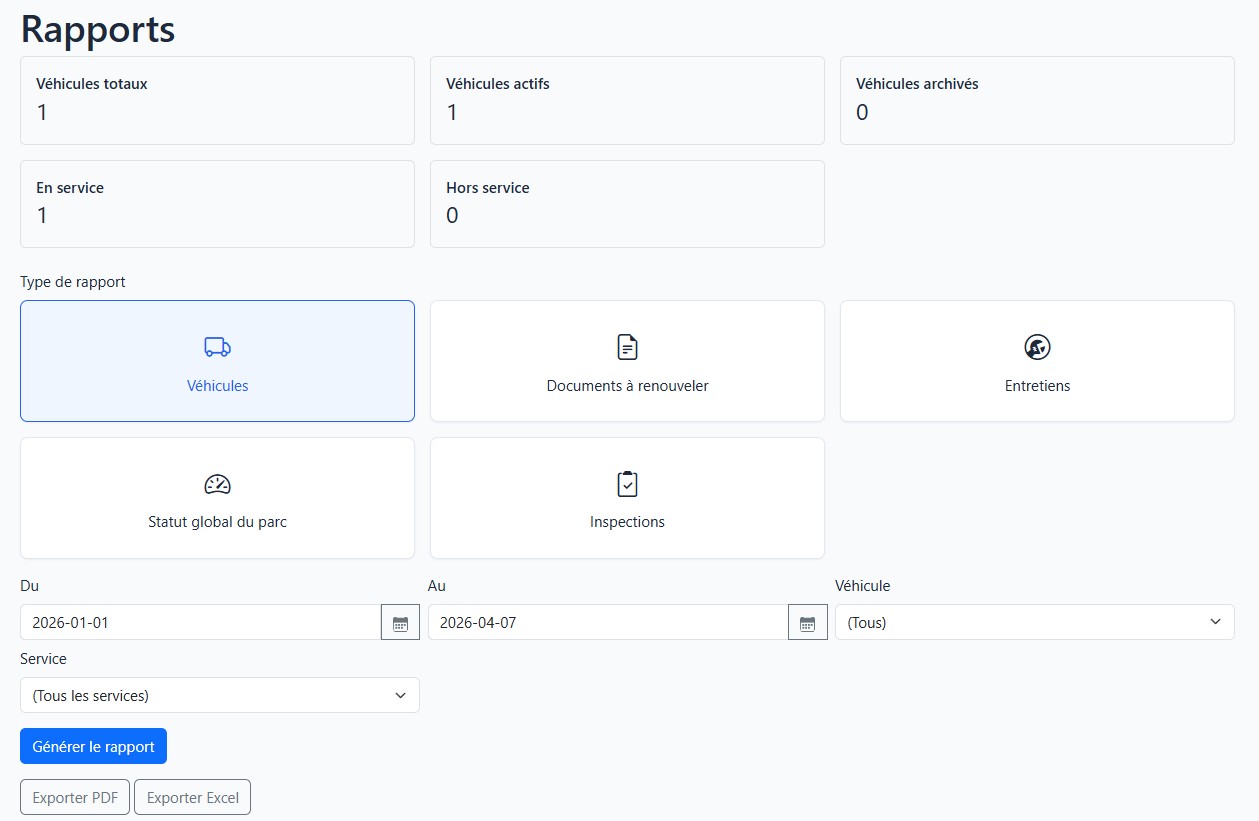
Reports and analytics
Generate clear reports to make informed decisions about your fleet.
- Maintenance cost tracking
- Usage reports by vehicle
- Data export and sharing
How it works
Three simple steps to get started with OptiGest.
Choose your plan
Select the plan that fits your organization's size and needs.
Your instance is created
Your OptiGest environment is automatically provisioned on Azure, hosted in Canada.
Start in minutes
Receive your activation code by email and start managing your fleet right away.
Why choose OptiGest
Designed for the realities of public and community organizations.
- Simple and intuitive interface
- Secure Canadian hosting
- Fully bilingual application
- No installation required
- Local support in French and English
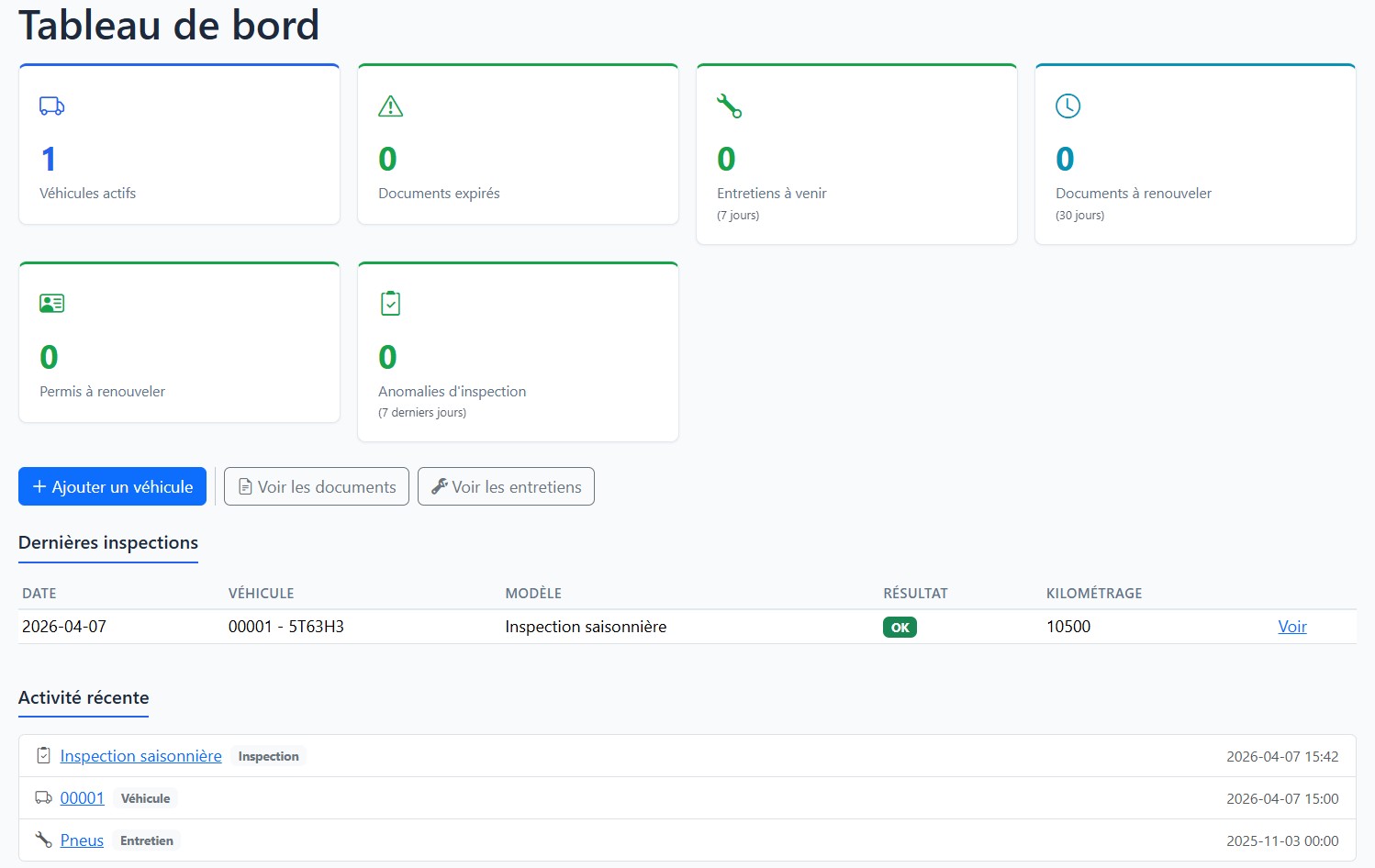
Designed for your realities
Your data stays in Canada, hosted on Azure Canada.
Encryption in transit and at rest, automatic backups.
Local team available in French and English.
Your instance is ready within minutes after payment.
Frequently asked questions
Everything you need to know before getting started.
OptiGest is a fleet management platform designed specifically for municipalities, Indigenous communities, and public organizations. It lets you centralize vehicle information, track maintenance, and generate reports—all in a simple, bilingual interface.
After payment, your OptiGest environment is automatically created on Azure Canada. You'll receive an email with your activation code and access link within minutes. Simply enter the code to create your admin account and start using the application.
All your data is hosted in Canada on Microsoft's Azure infrastructure (Canada East region). It is encrypted in transit and at rest, with automatic backups performed regularly.
Yes. You can change your plan directly from your admin area (Management > Subscription). Changes take effect immediately and all your data is fully preserved.
Yes. OptiGest is fully bilingual (French and English). Each user can choose their interface language independently.
Setup is automatic and typically takes between 3 and 10 minutes after payment confirmation. You'll receive an email as soon as your access is ready.
Our local team, based in Quebec, is available in French and English by email. We offer personalized assistance for onboarding and ongoing support.
We use end-to-end encryption, secure authentication, and automatic backups. Access to your instance is protected by configurable roles and permissions.
You get 7 days of full access to the Essential plan. Your card is required at signup, but no charges are made during the trial. At the end of the 7 days, your subscription begins automatically unless you cancel before.
No. No charges are made during the 7-day trial. Your card will be automatically charged at the end of the period unless you cancel before.
The free trial is limited to one use per email address.
Ready to simplify your fleet management?
Find the plan that fits your community and get started in minutes.